Skip to content

ChatGPT keyboard shortcuts

ChatGPT keyboard shortcuts for faster daily workflows

GPT Master adds keyboard shortcuts and command-palette style controls so you can move through ChatGPT faster once it becomes part of your daily workflow.

  • Local-first organization inside ChatGPT
  • Folders, search, timestamps, and navigation in one layer
  • Fast setup with no account required for core features

Quick answer

GPT Master adds keyboard shortcuts and command-palette style controls so you can move through ChatGPT faster once it becomes part of your daily workflow.

chatgpt.com
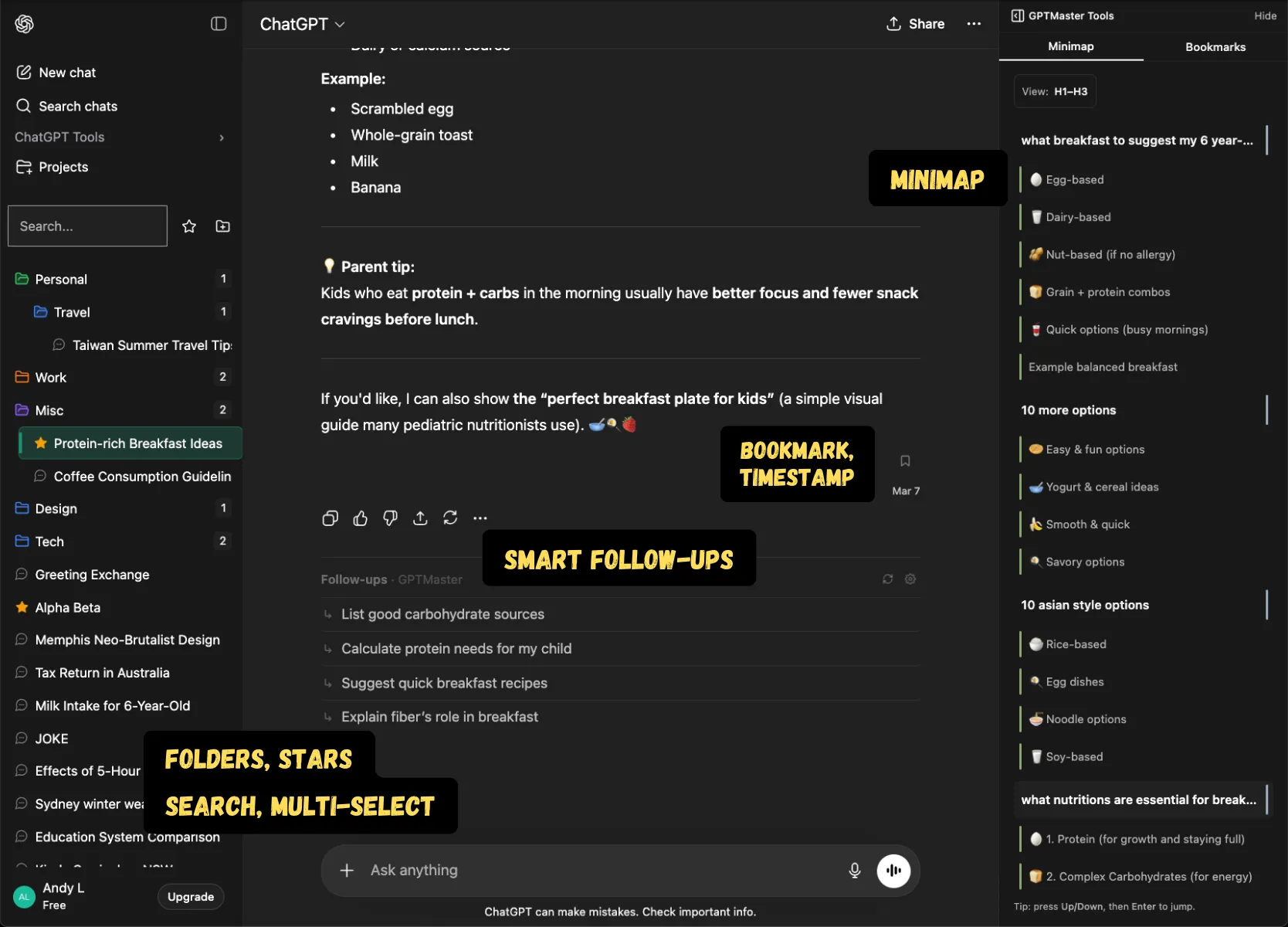
GPT Master inside ChatGPT showing folders and workflow controls for faster navigation

Shown inside chatgpt.com: GPT Master adds structure without forcing a separate workspace or a new learning curve.

Native friction

Why shortcuts become important

  • Heavy ChatGPT users lose time to repetitive clicking once thread count grows.
  • Context switching is slower when every navigation step depends on the mouse.
  • Native ChatGPT is usable for casual sessions, but power users need faster movement through the interface.

What changes

What GPT Master changes

  • Navigate and act faster with keyboard-driven controls.
  • Reduce friction in repeat workflows once ChatGPT becomes part of everyday work.
  • Pair shortcuts with folders, notes, pins, and search so movement through the workspace stays fast.

How it works

How shortcuts help power users

Keyboard shortcuts matter most when you already know what you want to do and the mouse becomes the bottleneck. They help turn a cluttered interface into a faster operating surface.

  1. 1

    Use shortcuts to move between common ChatGPT actions with fewer clicks.

  2. 2

    Open the right thread faster by combining keyboard-driven navigation with search and stars.

  3. 3

    Layer shortcuts on top of folders, notes, and minimap once ChatGPT becomes part of repeat daily work.

Who this page is for

Common ways people use GPT Master

The strongest SEO page is still useful to a real buyer. These are the day-to-day jobs this workflow solves once ChatGPT becomes part of your actual operating system.

  1. 01

    Developers moving quickly between debugging, spec, and QA threads.

  2. 02

    Operators reopening repeat-use workflows several times a day.

  3. 03

    Writers and researchers staying in flow without breaking concentration for repetitive navigation.

Frequently asked

Questions people have before they install

These questions cover fit, workflow, and what to expect before installing GPT Master, so people can understand the feature in practical terms before clicking through to the Chrome Web Store.

Why add keyboard shortcuts to ChatGPT?

Because repetitive clicking adds up fast for heavy users. Shortcuts reduce friction and make repeat workflows feel more deliberate and less sluggish.

Who benefits most from ChatGPT keyboard shortcuts?

People who use ChatGPT daily for real work, especially developers, operators, researchers, and writers who revisit the same workflows repeatedly.

Do shortcuts replace folders or search?

No. Shortcuts make movement faster, while folders, stars, and search make the workspace findable in the first place.